Get the app
On your phone, open the App Store or Google Play. Search for WalTech Connect.

Look for this icon. Other apps have similar names.
Sign in
Open the app. Sign in, or make a new account if this is your first time.
Show the QR code on the thermostat
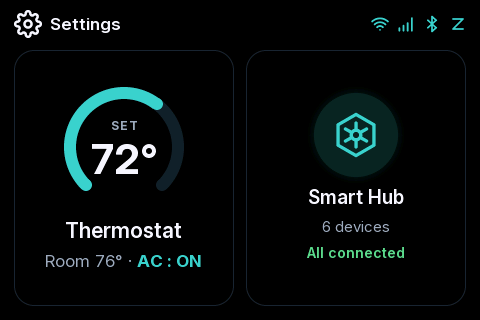
Each thermostat has its own QR code. Which screens do you have? Tap one to see where the code is.
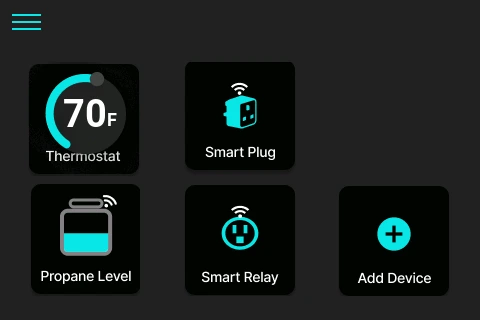
Tap the three lines at the top left.
Tap HVAC Settings.
Tap the first line: Device info and QR code.
On Home, tap Settings.
Tap Device Info. The QR code is on the left.
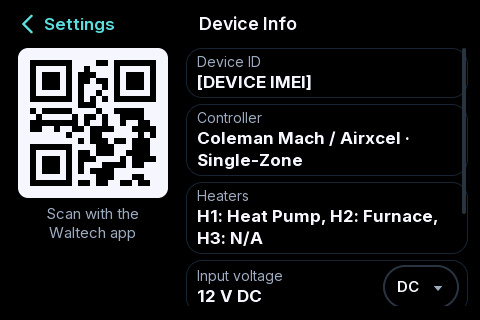
Scan it with the app
Keep the QR code showing on the thermostat.
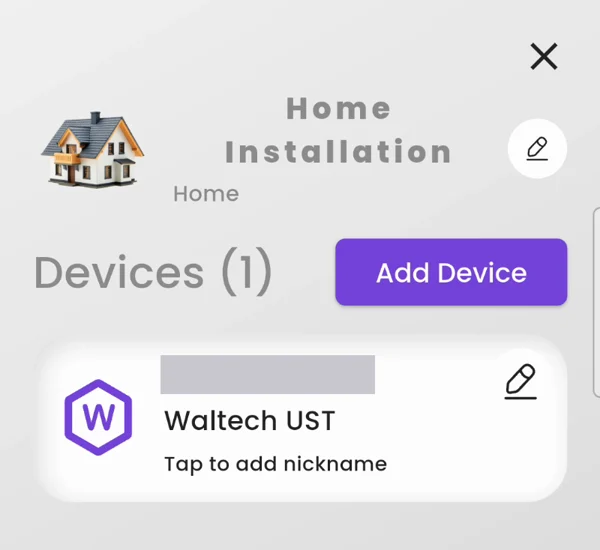
In the app, tap My Hub at the bottom left. Tap Add Device.
Tap Scan QR. Then tap Proceed.
If it asks to use your camera, tap While using the app.
Point your phone at the QR code on the thermostat screen.
It asks if you would like to add the device. Tap OK.
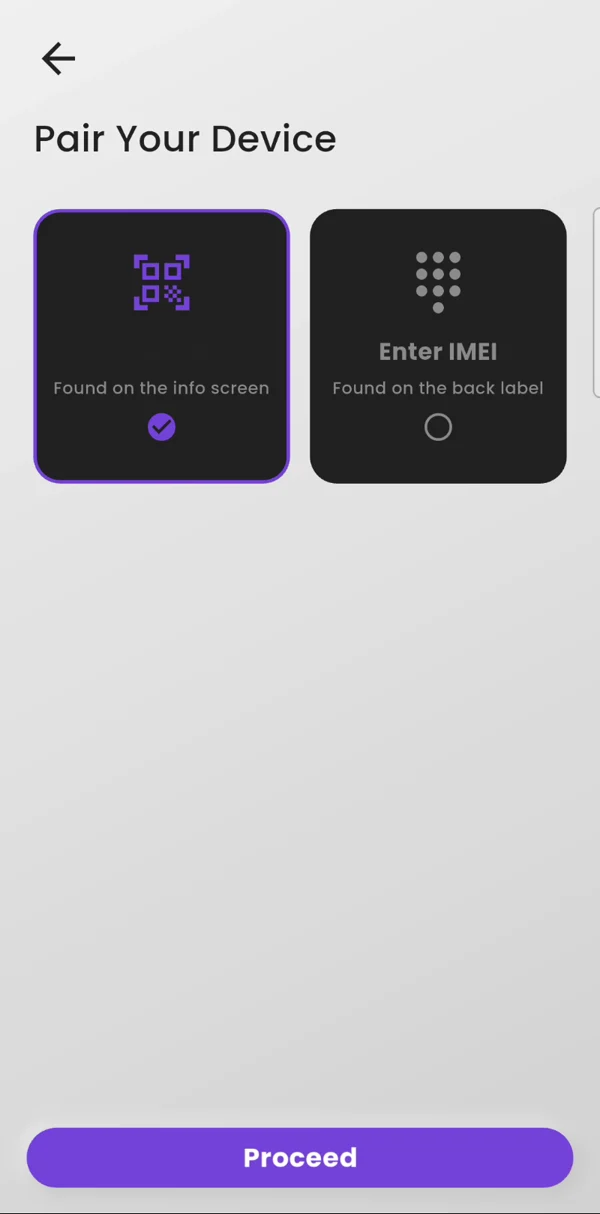
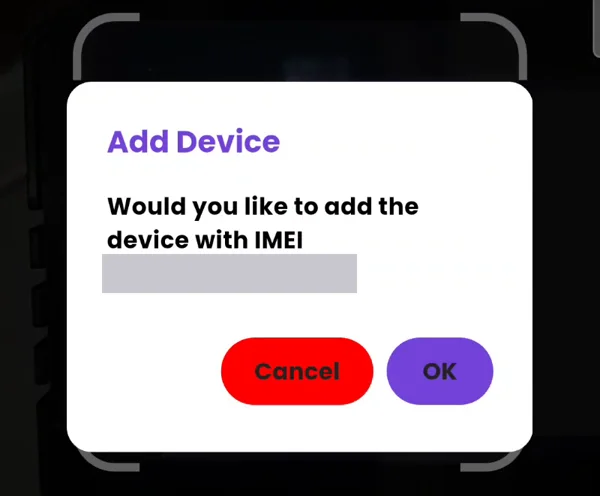
Camera not working? Tap Enter IMEI instead and type the number from the label on the back of the thermostat.
Two plans: take them or skip them
Right after you add the thermostat, the app shows two plans. Both are optional.
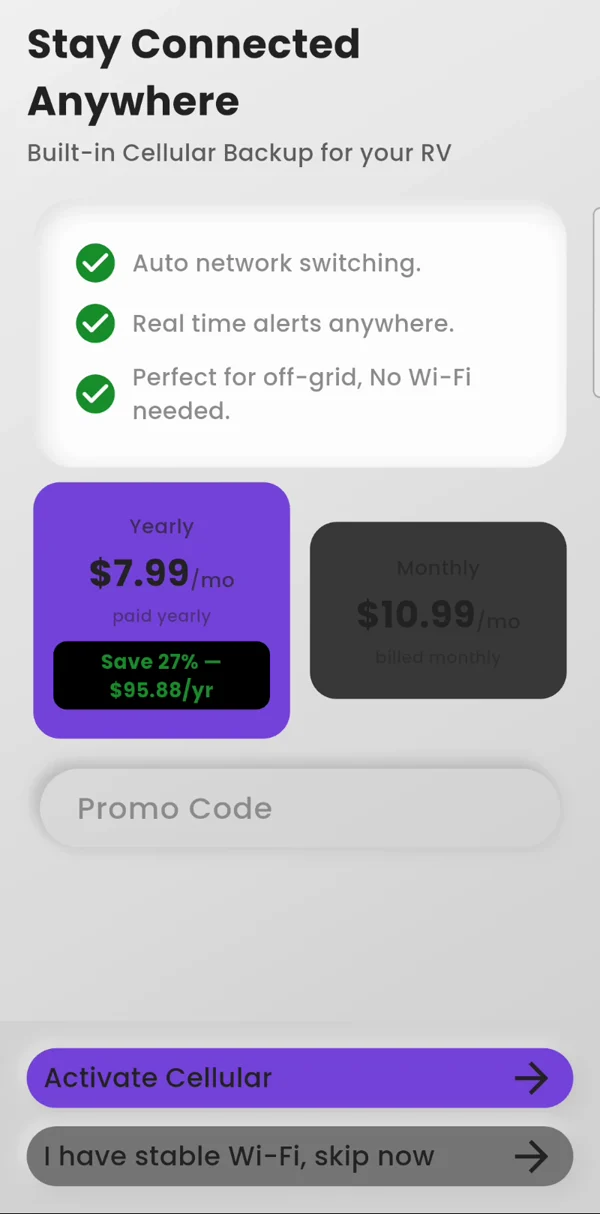
First it offers Cellular
- Cellular plan (optional)Keeps the app working where there is no Wi-Fi. The thermostat switches to cellular by itself when Wi-Fi drops. $7.99 a month paid yearly, or $10.99 month to month.
Want it? Tap Activate Cellular. Do not want it? Tap I have stable Wi-Fi, skip now.
Then it offers sensors
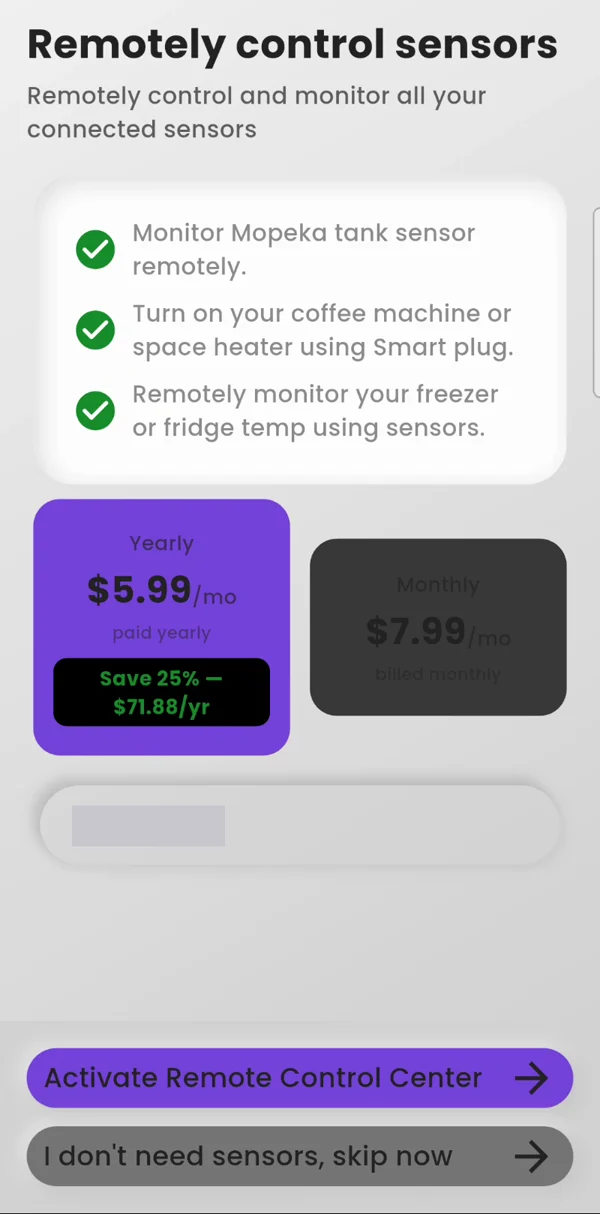
- Smart Hub plan (optional)The app calls it Remote Control Center. It is for your sensors in the app: readings, alerts and automatic rules. $5.99 a month paid yearly, or $7.99 month to month. This basically covers what it costs us to run the online service behind your sensors.
Want it? Tap Activate Remote Control Center. Do not want it? Tap I don't need sensors, skip now.
- On Wi-Fi the app is freeYou can skip both plans and still control your thermostat from your phone on Wi-Fi.
Done
Your thermostat now shows on the app Home screen.
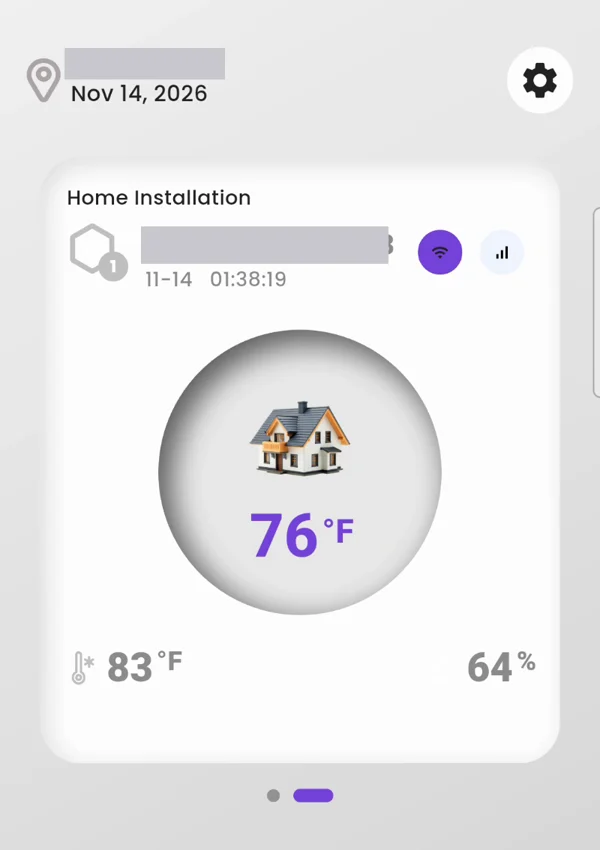
Step 1 of 5 is done. You are not finished yet: 4 more steps to go.
Go to step 2: Update the software →Questions
What is the WalTech app called in the App Store and Google Play?
It is called WalTech Connect, by WalTech International Inc. It is free to download for iPhone and Android.
How do I add my WalTech UST 3.0 to the app?
Open WalTech Connect and sign in. On the thermostat, open the QR code: on the new screens tap Settings, then Device Info. On the old screens tap the three lines, HVAC Settings, then Device info and QR code. In the app, choose to add a device and scan the code.
Do I need a subscription to use the WalTech app?
No. On Wi-Fi the app works with no plan. The Cellular plan and the Smart Hub plan are both optional.
Stuck? Text a photo of your screen to 1-844-WALTECH. Text only, no calls.